Pipmed Medical Pipmed Medical

How to Maintain Imaging Equipment?

Time:2026-09-26 Author:Henry
0%

Imaging equipment supports decisions that depend on clear, consistent results. Its performance can gradually change through daily use, dust, temperature shifts, or worn components. Knowing how to maintain imaging equipment helps reduce avoidable downtime and supports dependable operation. It does not replace manufacturer instructions or qualified service.

A practical maintenance plan starts with the equipment’s service manual and the site’s documented procedures. Staff can inspect cables, connectors, table movement, displays, and warning indicators before use. Keep ventilation openings clear, and clean approved surfaces with products recommended for that system. Small signs matter. A faint clicking sound, unusual heat, or a new image artifact should be recorded and reported rather than ignored. Do not open sealed panels or attempt repairs beyond your training.

Routine checks should be paired with scheduled calibration and preventive servicing by appropriately qualified technicians. Record inspection dates, reported faults, repairs, and performance checks in a maintenance log. This history can reveal recurring problems that a single inspection misses. It also helps teams communicate clearly with service providers. The details may seem tedious, and a checklist will never catch everything. That is worth remembering. A good process leaves room for careful observation and honest reporting, not just boxes marked complete. The right schedule depends on the equipment model, workload, and manufacturer guidance. With consistent records and timely escalation, maintenance becomes a practical part of reliable imaging, rather than a rushed response after a failure.
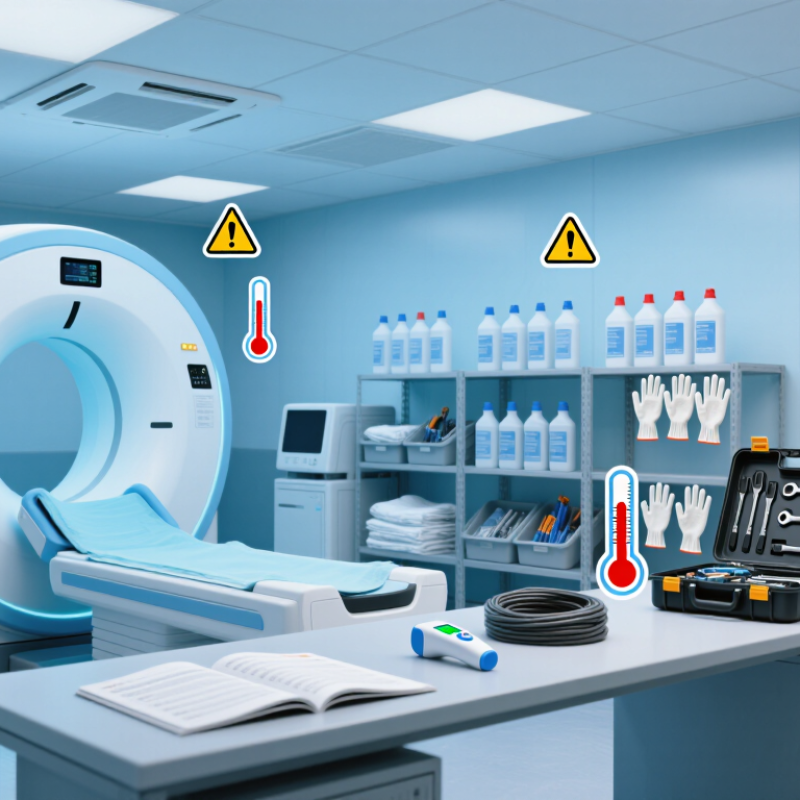
How to Maintain Imaging Equipment?

Understanding Imaging Equipment Maintenance Requirements

How to Maintain Imaging Equipment?
Understanding Imaging Equipment Maintenance Requirements

Imaging equipment maintenance starts with the requirements for each system, not a generic checklist. Follow the operator and service manuals for inspection intervals, calibration, cleaning, and environmental limits. A scanner in a warm, dusty room may need attention sooner than one in a controlled space. Small signs matter. Note unusual noise, slow table movement, damaged cables, or inconsistent image quality, and report them promptly.

Daily checks can include inspecting accessible surfaces, confirming emergency stops work, and verifying that cables and accessories are intact. Clean only with approved methods; excess liquid can damage sensitive components. Scheduled preventive maintenance should be performed by qualified service personnel, with calibration and safety testing documented at the specified intervals. If a fault could affect image quality or patient safety, take the system out of service and follow your facility’s escalation process.

Keep records current. Log dates, test results, repairs, and recurring faults so patterns are visible. A checklist can still create false confidence if staff mark boxes without examining the equipment. It happens. Review the maintenance plan when usage changes, repairs repeat, or room conditions shift. Requirements differ by modality and model, so avoid applying one schedule to every device.

How to Maintain Imaging Equipment?

Understanding Imaging Equipment Maintenance Requirements

The chart shows example planning intervals for routine checks, expressed as days between tasks. Actual requirements vary by equipment type and clinical use; always follow the applicable manufacturer instructions, facility procedures, and regulatory requirements.

Preparing Equipment for Routine Inspection

Preparing imaging equipment for routine inspection begins before the service visit. Review the maintenance schedule and note any recurring warnings, unusual sounds, or image-quality changes. Record when each issue appeared and what was happening at the time. These details help a qualified technician assess the equipment without relying on memory. Keep the inspection area clear, dry, and well lit. Remove supplies that could block access, but do not disconnect cables or open covers unless the equipment instructions specifically require it.

Tips: Have the equipment’s service records and operating instructions ready. Make a short list of concerns. Keep it simple. Check that accessories are clean and stored safely, and tell the inspector if anything is missing or damaged. Avoid testing unfamiliar controls just to demonstrate a problem; a clear description is more useful and safer.

Before inspection, follow the site’s normal shutdown or standby procedure, as appropriate for the equipment. Confirm that authorized staff know when the device will be unavailable. Small preparation steps can prevent delays, though they do not replace professional inspection.

I once assumed a faint image was a settings issue; the inspection notes showed it happened only with one accessory. I should have documented that sooner.

Record observations plainly, including details that seem minor.

Cleaning and Disinfecting Imaging Components

Cleaning and Disinfecting Imaging Components

Imaging rooms bring many hands into contact with the same surfaces. A CDC 2015 point-prevalence survey estimated that about 1 in 31 hospitalized patients had at least one healthcare-associated infection. That figure does not link infections to imaging equipment, but it underscores why routine cleaning matters.

Between patients, clean and disinfect high-touch components according to facility policy and the equipment manufacturer’s instructions. Focus on detector housings, table edges, positioning straps, gantry handles, and keyboard keys. Remove visible soil before applying disinfectant. Keep the surface visibly wet for the product’s full labeled contact time. Small seams are easy to miss. Use only products approved for each component; excess liquid can damage sensitive surfaces.

Staff experience shows that rushed turnovers invite skipped steps, especially around cables and control panels. I have seen checklists help, though they cannot replace judgment when equipment is visibly soiled or a patient requires transmission-based precautions. The CDC’s Guideline for Disinfection and Sterilization in Healthcare Facilities emphasizes matching the process to the item and its intended use. Record required cleaning, allow surfaces to dry, and escalate uncertainty to infection prevention or biomedical engineering. A damp cloth alone is not a disinfection process.

Checking Calibration, Safety, and Performance

Calibration
Calibration should be verified with repeatable measurements, not a single reassuring image. The American College of Radiology’s MRI quality-control guidance calls for weekly technologist checks and an annual system performance evaluation by a qualified medical physicist. Phantom scans can reveal changes in geometric accuracy, slice thickness, uniformity, or resolution. Keep the same phantom setup and document the room temperature, coil, and scan settings; small setup differences can muddy comparisons. A rushed log entry can look complete. It may still hide drift.

Safety and performance
Safety and performance checks should connect equipment readings with actual use. AAPM Report No. 96 describes CT dose indices including CTDIvol, measured in mGy, and dose-length product, measured in mGy·cm. Review these values alongside protocol settings and image quality, rather than treating a lower dose number as proof of better performance. Inspect cables, table movement, interlocks, and emergency controls; record faults before returning the system to service. Trend repeat images and service records over time. A gradual change is easy to miss, and some checks are annoyingly easy to postpone. Keep maintenance records clear enough that another qualified reviewer can reproduce the test and understand any corrective action.

Documenting Repairs and Scheduling Professional Service

A reliable service record turns a vague fault into useful evidence. Log the equipment identifier, date, operating hours, and the first signs of trouble. Note error messages exactly, including codes, and describe what was happening when they appeared. “Image quality changed” is less helpful than “a faint band appeared on the left side during the morning test.” Small details matter.

Record each repair, adjustment, replacement part, and post-service check. Include who performed the work and when the equipment returned to use. Keep reports, test results, and relevant service notes together, following your facility’s procedures. A note saying “checked” is not enough. Our first logs may still miss details; review them after recurring faults and update the fields people actually need.

Schedule professional service according to the equipment’s service guidance, workload, and history of faults. Avoid waiting for a breakdown to arrange routine inspections. Plan visits during quieter periods, and share recent logs with the service professional beforehand. Ask what checks will be performed and what findings require follow-up. If performance seems unreliable, follow local procedures for removing the equipment from use until it has been assessed. Record the appointment, recommendations, and any next service date before the details slip away.

FAQS

What should staff review before a routine imaging equipment inspection?

Review the maintenance schedule, recurring warnings, unusual sounds, and image-quality changes. Record when each issue appeared and what was happening. Keep it factual. Avoid relying on memory.

How should the inspection area be prepared?

Keep the area clear, dry, and well lit. Remove supplies blocking access. Do not disconnect cables or open covers unless instructions require it.

What records should be ready for the inspector?

Prepare service records, operating instructions, equipment identifiers, operating hours, and a short concern list. Note missing or damaged accessories. Simple notes help.

What should staff do before the equipment becomes unavailable?

Follow the normal shutdown or standby procedure. Tell authorized staff about the inspection time. Confirm when the device should return to use.

What cleaning steps matter between patients?

Follow facility policy and equipment instructions. Remove visible soil before disinfecting high-touch components. Keep surfaces wet for the full labeled contact time. Small seams matter.

Which imaging components need careful cleaning?

Focus on detector housings, table edges, positioning straps, handles, keyboard keys, cables, and control panels. Use products approved for each component. Excess liquid can cause damage.

Can a damp cloth count as disinfection?

Not by itself. Clean first, then disinfect with the correct product. Allow surfaces to dry. Escalate uncertainty to infection prevention or biomedical engineering.

What details belong in a repair record?

Record the equipment identifier, date, operating hours, exact error codes, symptoms, repairs, replacement parts, and post-service checks. Note who performed the work and when use resumed. “Checked” is too vague.

When should professional service be scheduled?

Use service guidance, workload, and fault history. Plan visits during quieter periods, rather than waiting for failure. Share recent logs beforehand. Ask which findings require follow-up.

What should happen if equipment performance seems unreliable?

Follow local procedures for removing the equipment from use until assessment. Record the appointment, recommendations, and next service date. I once missed a small pattern; earlier notes might have helped.

Conclusion

Knowing how to maintain imaging equipment begins with understanding the manufacturer’s instructions, the device’s intended use, and the maintenance schedule recommended for each component. Before routine inspection, power down or place the equipment in the appropriate safe mode, prepare suitable cleaning supplies, and check for visible damage, loose connections, unusual wear, or other signs that may affect operation.

Clean and disinfect surfaces and components using methods approved for the equipment, taking care not to let moisture reach sensitive parts. Regularly check calibration, image quality, system warnings, and safety features, and compare results with established performance standards. Keep clear records of inspections, cleaning, calibration checks, faults, and repairs so that changes can be tracked over time. If a problem persists or requires specialized attention, stop using the affected equipment as appropriate and schedule service with a qualified professional. Consistent maintenance supports reliable performance and helps extend equipment life.

Henry

Henry

Henry is a dedicated marketing professional with a profound expertise in the company's offerings. With years of experience in the industry, he possesses an impressive understanding of the market dynamics and consumer behaviors that drive success. Henry is committed to sharing his insights through......